0 前言
目前最推荐使用 章节 4 以及 5 中的方法, 前三种都挺折腾
1 阿里云构建
1.1 git 仓库设置
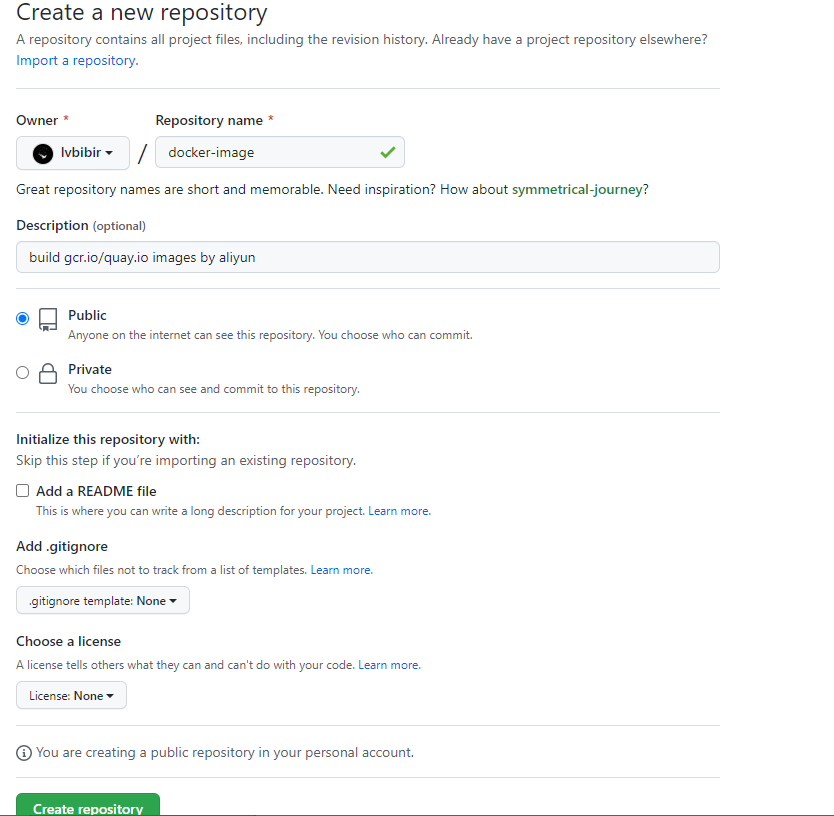
1.1.1 创建仓库
用于存放 Dockerfile
1.1.2 上传 Dockerfile
#换成自己的仓库地址
git clone https://github.com/lvbibir/docker-images
cd docker-images
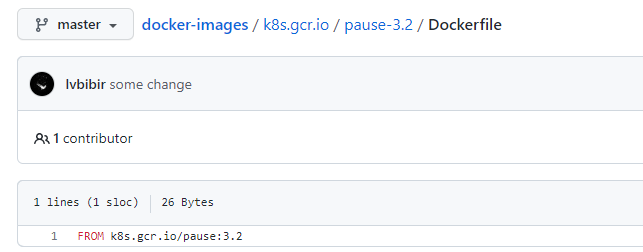
mkdir -p k8s.gcr.io/pause-3.2/
echo "FROM k8s.gcr.io/pause:3.2" > k8s.gcr.io/pause-3.2/Dockerfile
git add .
git commit -m 'new image: k8s.gcr.io/pause:3.2'
# 默认分支可能是main,取决于你的github设置
git push origin master
1.2 阿里云设置
登陆阿里云,访问 阿里云容器镜像服务
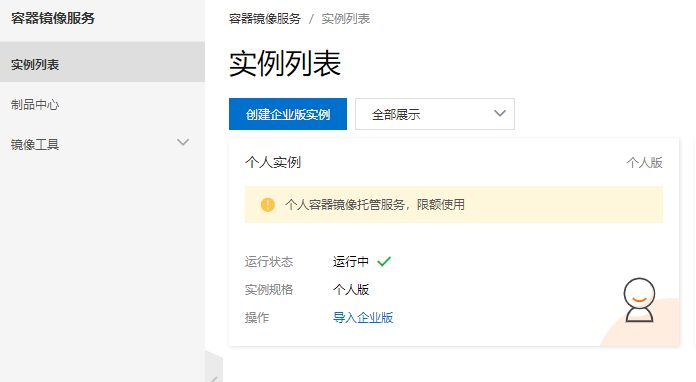
1.2.1 创建个人实例
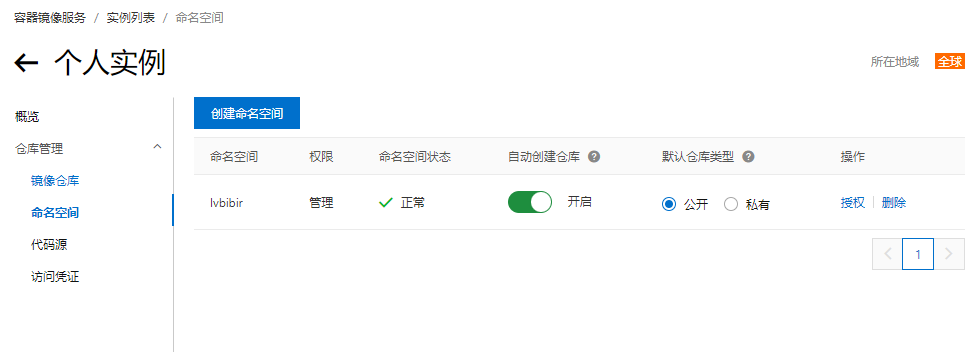
1.2.2 进入个人实例创建命名空间
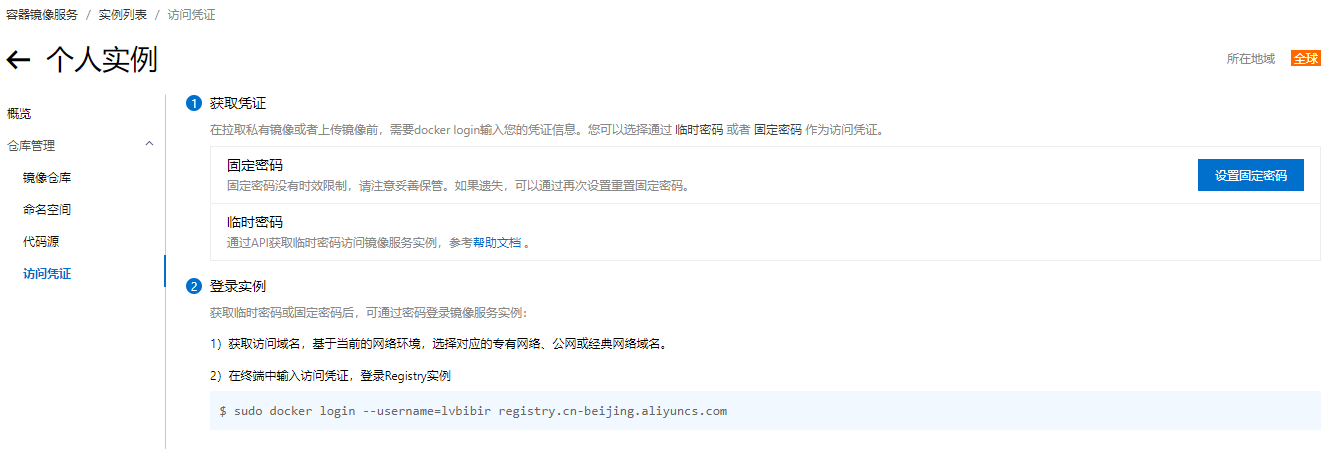
1.2.3 创建访问凭证
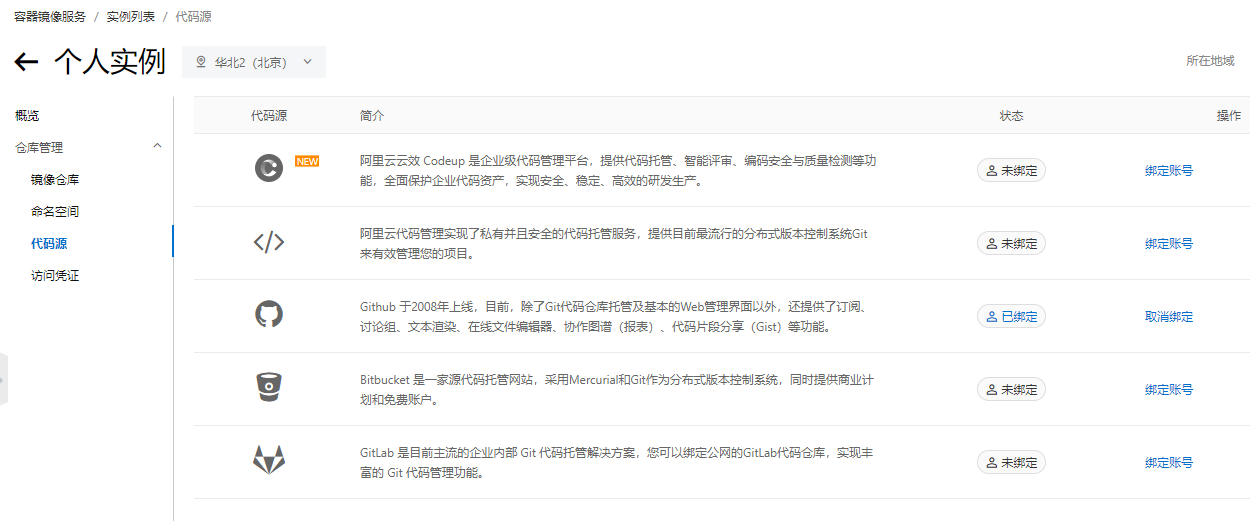
1.2.4 绑定 github 账号
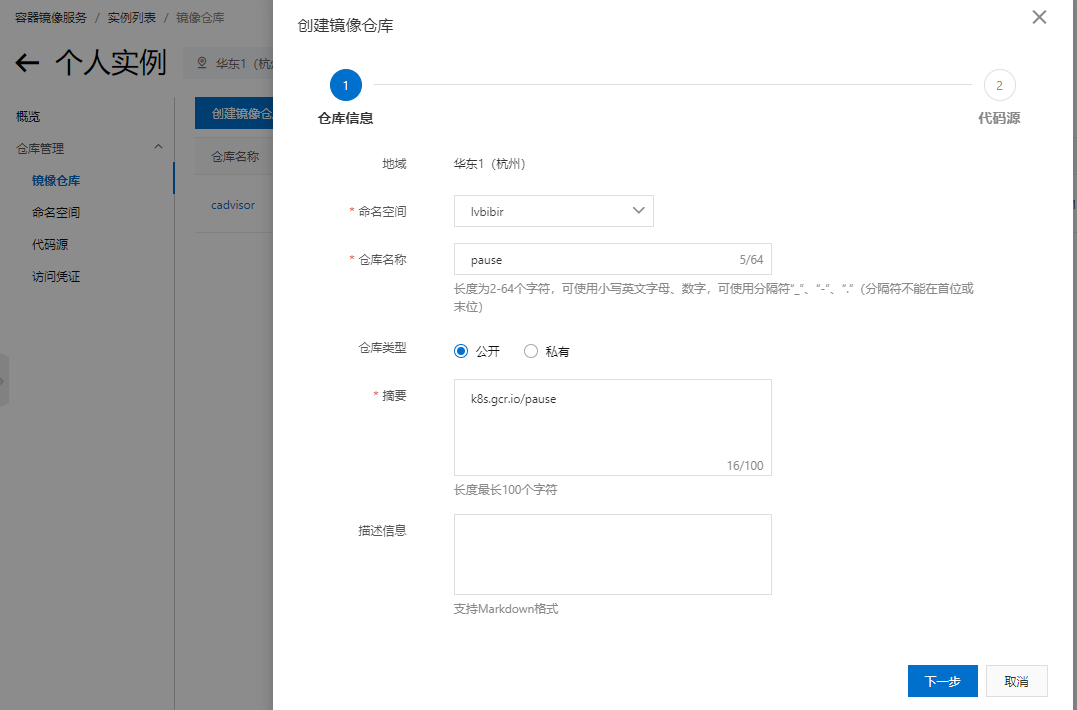
1.2.5 新建镜像仓库
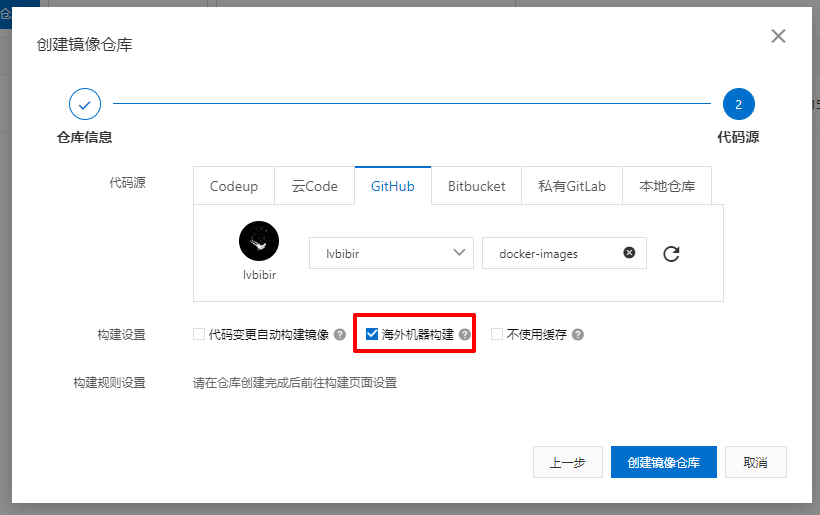
指定刚才创建的 github 仓库,记得勾选海外机器构建
1.2.6 新建构建
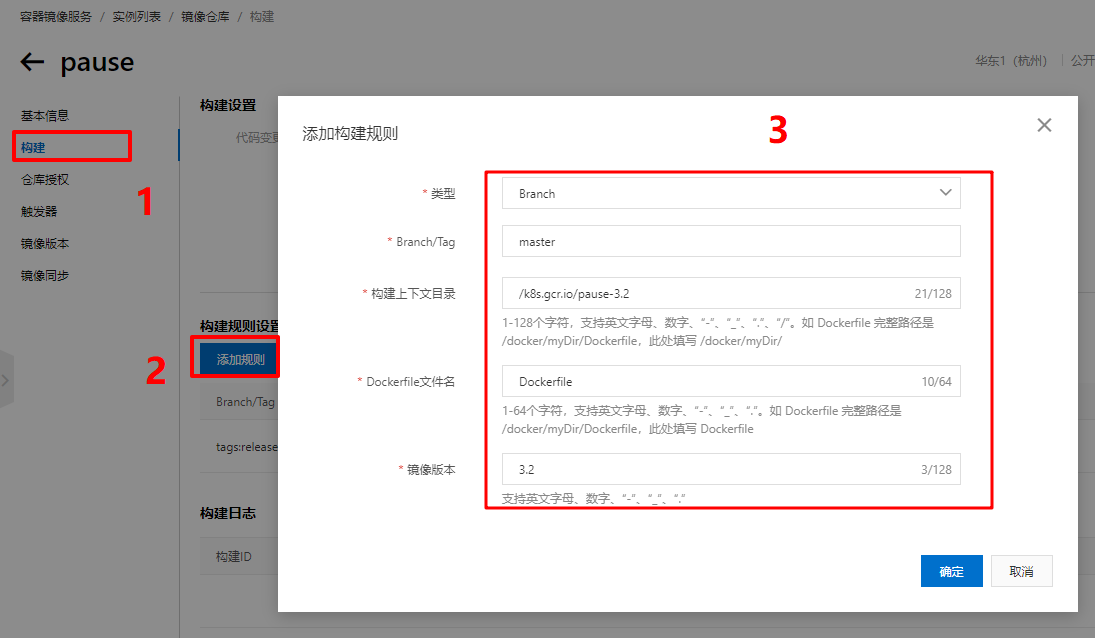
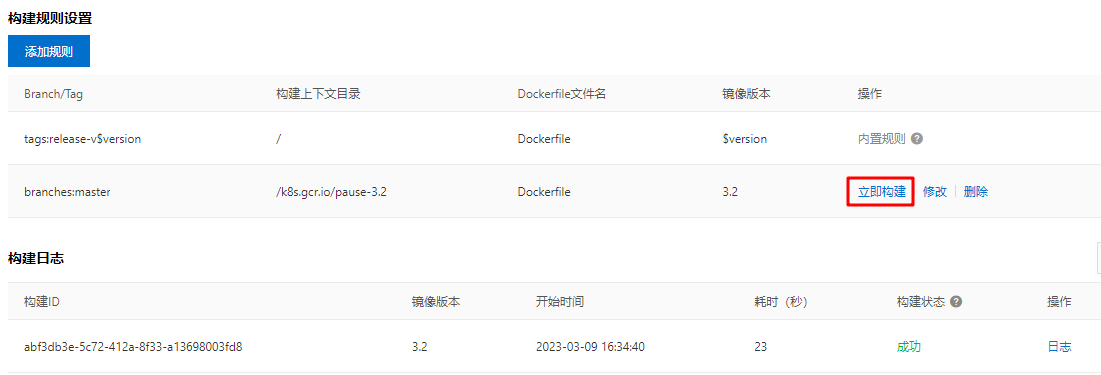
手动触发构建,正常状况应该可以看到构建成功
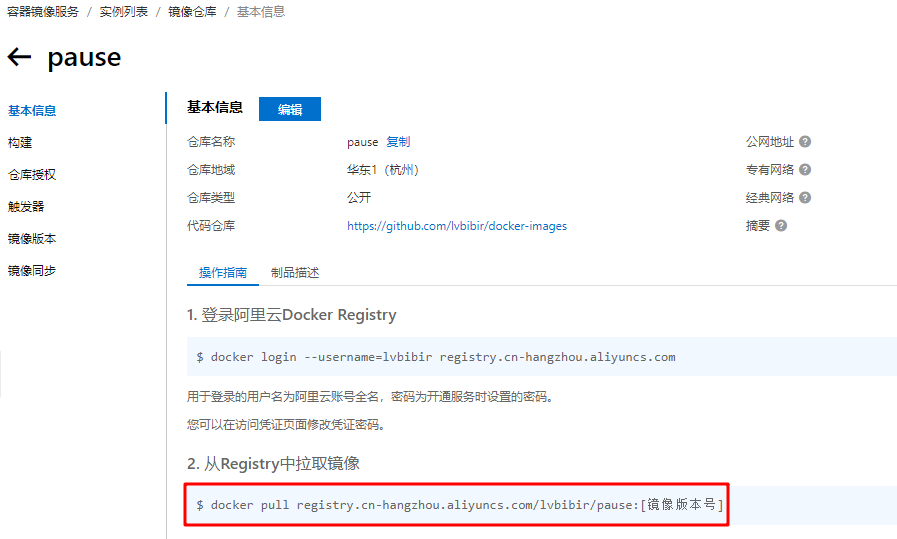
1.2.7 镜像下载
操作指南里可以看到如何下载镜像,标签即刚才新建构建时指定的镜像版本
2 gcr.io_mirror
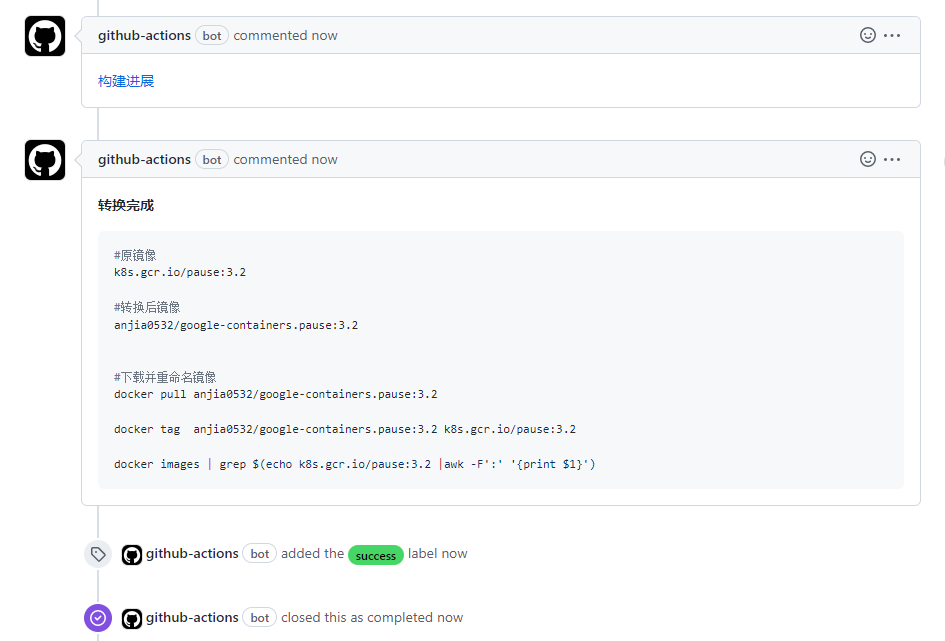
该项目通过 Github Actions 将 gcr.io、k8s.gcr.io、registry.k8s.io、quay.io、ghcr.io 镜像仓库的镜像搬运至 dockerhub
直接提交 issue,在模板 issue 的 [PORTER] 后面添加想要搬运的镜像 tag,也可以直接在关闭的 issue 列表中检索,可能也会有其他人搬运过,直接用就行了
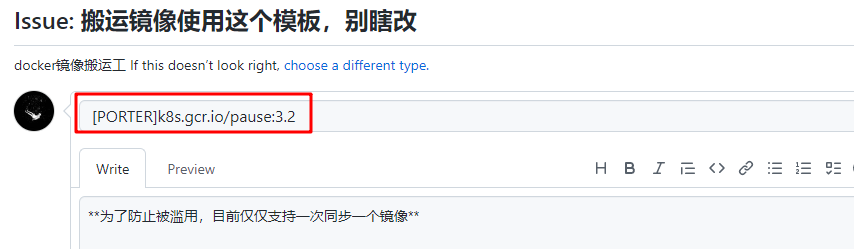
稍等一小会可以看到镜像已经搬运到 dockerhub 了
3 Docker Playground
Docker Playground 是一个免费的线上 docker 环境,由于是外网环境所以下载镜像、推送到 dockerhub 都很快,也可以直接推到阿里云的仓库
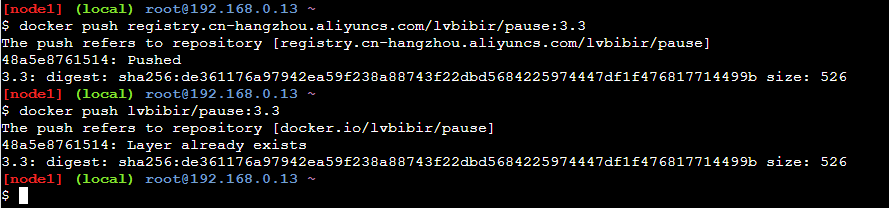
docker login --username=lvbibir registry.cn-hangzhou.aliyuncs.com
docker pull <image>:<tag>
dokcer tag <image>:<tag> registry.cn-hangzhou.aliyuncs.com/lvbibir/<image>:<tag>
docker push registry.cn-hangzhou.aliyuncs.com/lvbibir/<image>:<tag>
4 http proxy
如果有代理软件可以在 docker 中配置代理实现, 参考 官方文档
修改 docker pull 等操作的代理可以通过 docker 的 daemon.json 文件或者 service 两种方式进行修改, 推荐使用第一种
- 修改
/etc/docker/daemon.json
{
  "proxies": {
    "http-proxy": "http://proxy1.bj.petrochina:8080",
    "https-proxy": "http://proxy1.bj.petrochina:8080",
    "no-proxy": "localhost,127.0.0.0/8"
  }
}
- 修改 docker service
sudo vim /lib/systemd/system/docker.service

# 在 [Service] 下添加如下三行
Environment=HTTP_PROXY=http://proxy1.bj.petrochina:8080
Environment=HTTPS_PROXY=http://proxy1.bj.petrochina:8080
Environment=NO_PROXY=localhost,127.0.0.1
上述两种方式任意一种修改完成后重启 docker 即可
sudo systemctl daemon-reload
sudo systemctl restart docker
sudo docker info | grep proxy
5 使用国内现成的镜像站
这种方式的问题主要是镜像不全,且没有统一的管理,建议使用之前的四种方式
阿里云仓库
docker pull k8s.gcr.io/sig-storage/csi-node-driver-registrar:v2.3.0
# 换成
docker pull registry.aliyuncs.com/google_containers/csi-node-driver-registrar:v2.3.0
也可以使用 lank8s.cn,他们的对应关系 k8s.gcr.io –> lank8s.cn,gcr.io –> gcr.lank8s.cn
docker pull k8s.gcr.io/sig-storage/csi-node-driver-registrar:v2.3.0
# 换成
docker pull lank8s.cn/sig-storage/csi-node-driver-registrar:v2.3.0
中科大
docker image pull quay.io/kubevirt/virt-api:v0.45.0
# 换成
docker pull quay.mirrors.ustc.edu.cn/kubevirt/virt-api:v0.45.0
以上